To see a consolidated view of all impacts for a team:
- Select the ‘Team – Impacts’ page in the ‘Implement’ section for the selected team
- Select ‘Edit team impact settings’ button
- Complete ‘Edit team impact settings’ form
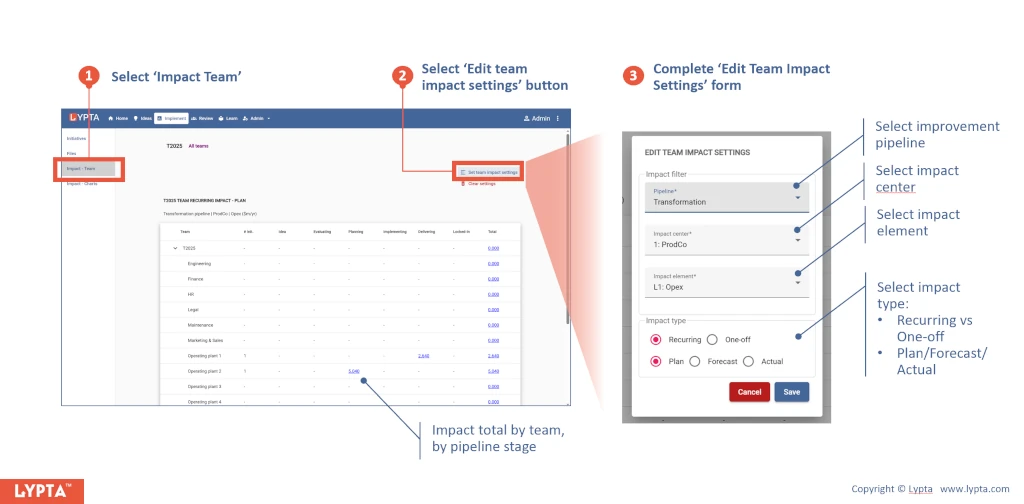
This allows users to see at a glance what the total team impact is for any selected impact metric.
Impact can also by seen by stage gate if an improvement pipeline is selected from the drop down list.
Additional filters include:
- Impact type: Recurring vs one-off impact
- Impact value: Plan/forecast/actual impact
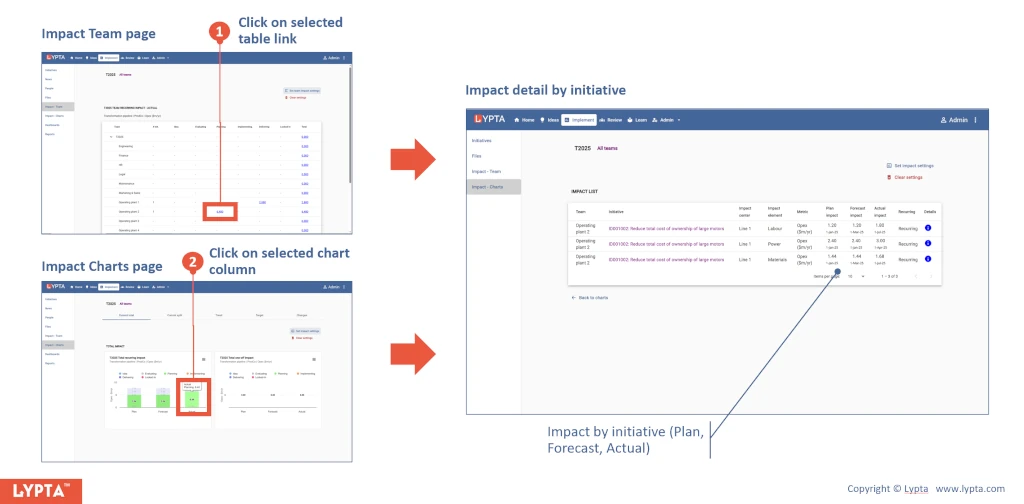
Click on the totals to see a list of the underlying initiative impacts that collectively sum to the total impact: