
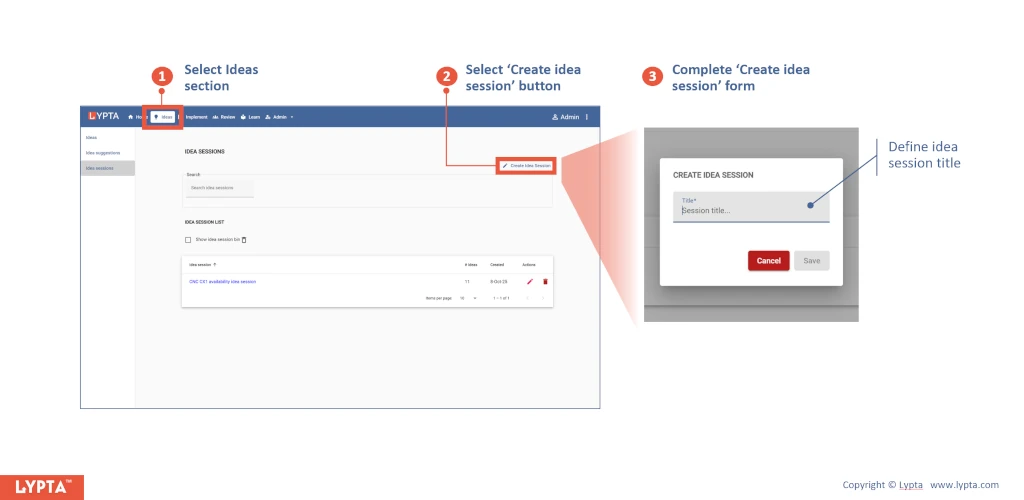
Key steps to create an idea session are:
- Select ‘Ideas’ section and then ‘Idea Sessions’ menu option
- Select ‘Create idea session’ button
- Complete ‘Create idea session’ form
Once the idea session is created, ideas can then be added to the session by:
- Select ‘Create idea link’ button
- Complete ‘Create idea link’ form
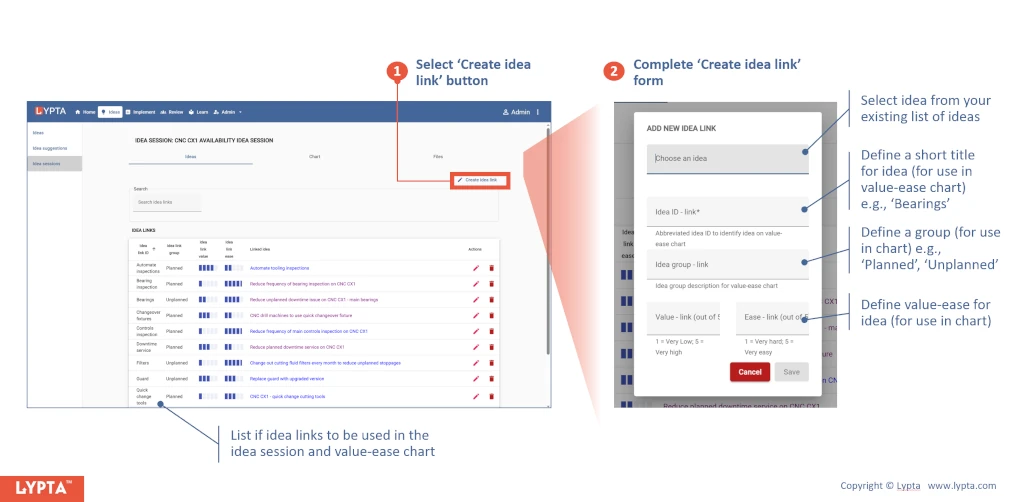
As an additional note, you can edit or delete the ideas in the idea session by selecting the actions icons on the right for each ‘idea link’ and this will not edit or delete the underlying idea itself – it will only edit or delete the ‘idea link’. Similarly, you can alter the value-ease properties of the idea link without changing the underlying idea’s value-ease properties.
