
Impact centers are intended to be aligned with the organisation’s org structure. Each initiative can have an impact for a specific impact center. Impact is allocated to an impact center. Impact centers are hierarchical and are set-up by admin when the app is first set-up for the organisation.
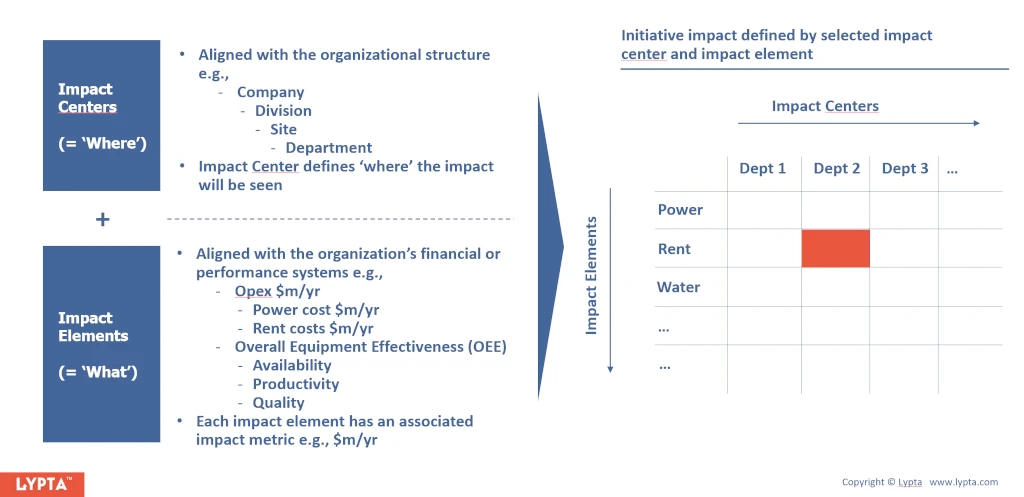
Adding or editing/deleting impact centers requires SuperAdmin authority level as is typically done at initial set-up. To add an impact center:
- Select ‘Admin/Change Structure’ section
- Select ‘Impact Centers’ menu option
- Select ‘Create impact center’ button
- Complete ‘Impact Center’ form
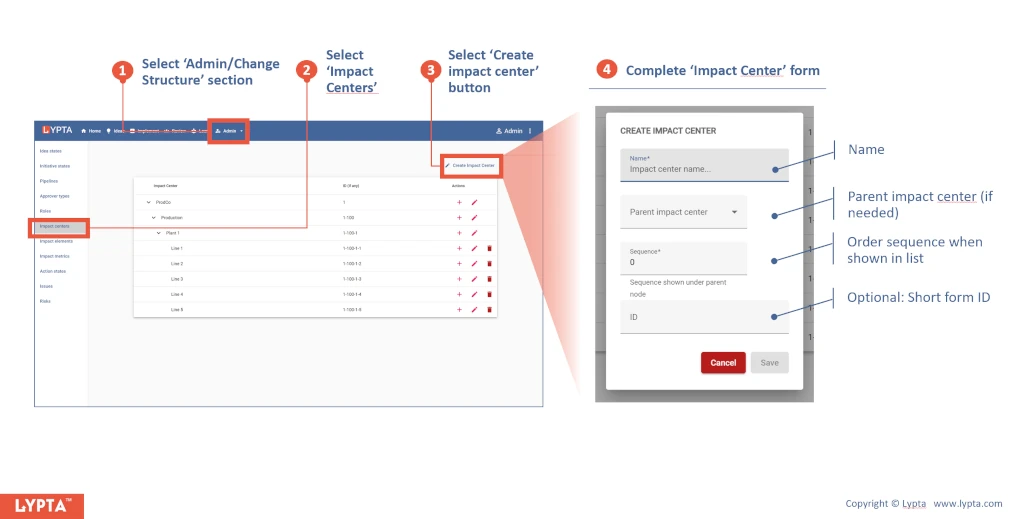
Once the impact center has been created, you can then edit or delete the impact center as needed by selecting the appropriate ‘edit’ or ‘delete’ icons on the right hand side of the impact centers list.
