
Gate approvers will receive a request to approve by email when the initiative owner submits the gate for approval.
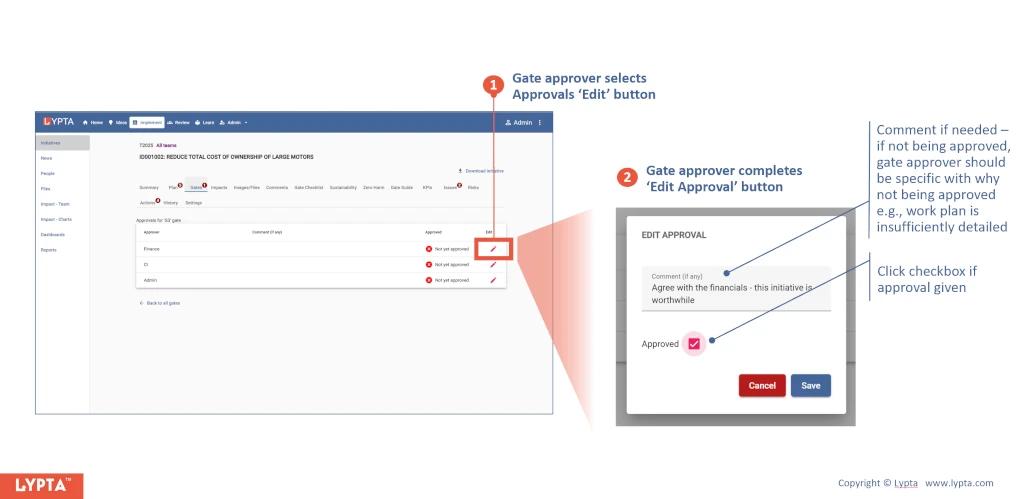
To approve a gate, the gate approver:
- Selects the ‘Approvals link for the gate and then selects the approvals ‘Edit’ button
- Completes the ‘Edit Approval’ form
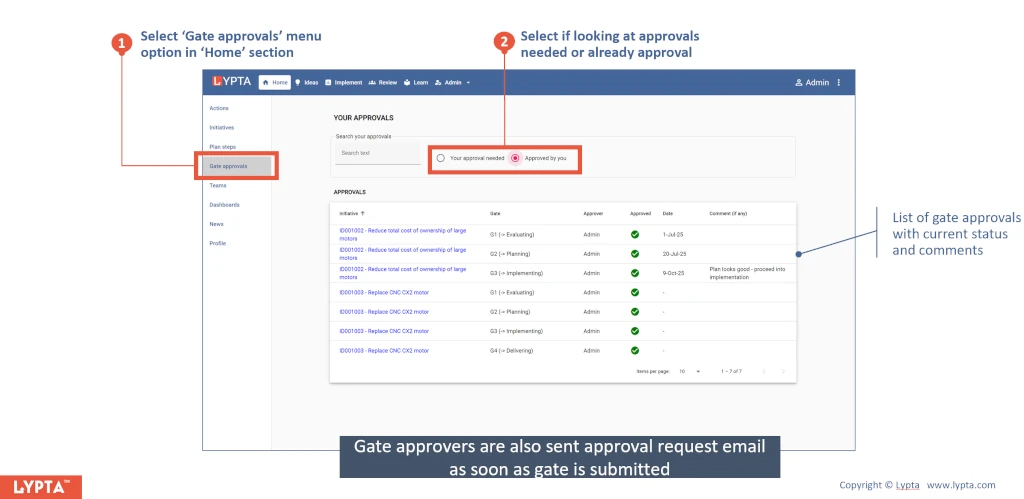
Gate approvers can also approve gates from their ‘Home’ section by:
- Selecting ‘Gate Approvals’ menu option in ‘Home’ section
- Selecting ‘Your approval needed’ radio button (selecting ‘Approved by you’ will show all initiative gates for which you have already given approval)
The gate is only approved when all required gate approvers have given their approval:
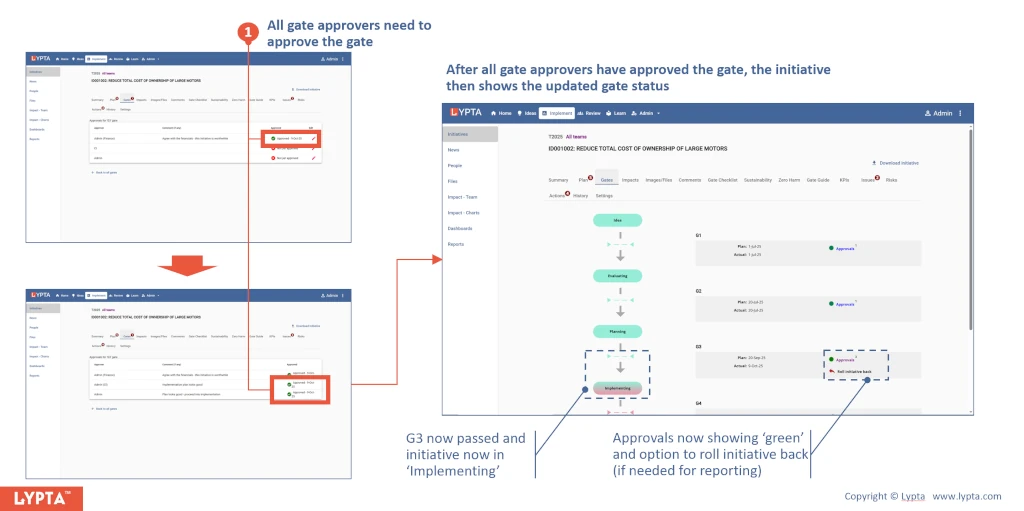
Once all approvals have been given the initiative will automatically roll forward to the next stage (e.g., ‘Implementing’) and the approvals for the gate just passed will now show green.
