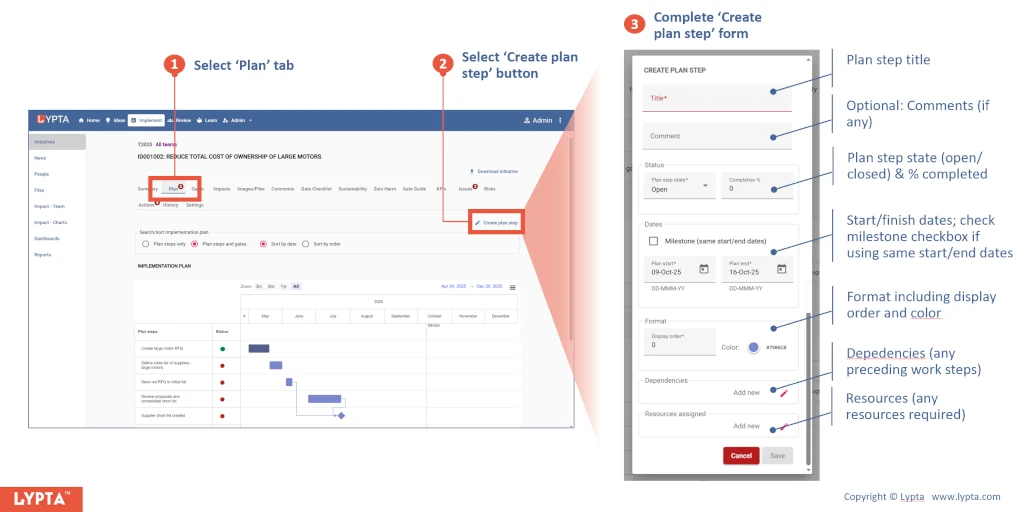
Create plan step
Steps to create a workplan step:
- Select the initiative’s ‘Plan’ tab
- Select ‘Create plan step’ button
- Complete ‘Create plan step’ form
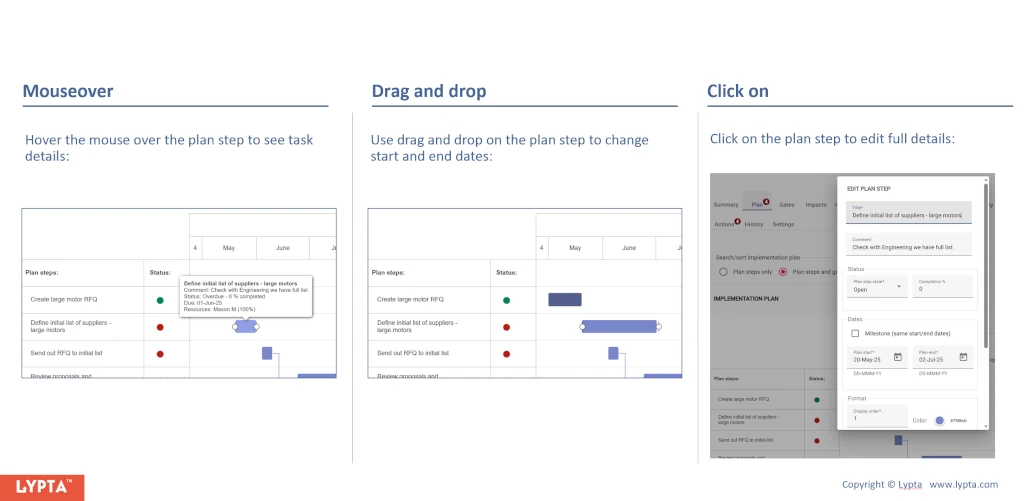
Update plan step
Once the plan step has been created, you can instantly see the full plan step details by hovering the mouse over the plan step.
Additionally, there are several interactive ways of editing the plan step:
- Drag and drop plan step: Use drag and drop on the plan step to easily change start and end dates
- Click-on plan step: Select the plan step to edit full details