
Ideas remain in your own private space. However, if want to get comments on your ideas you need to:
- Share the idea (so that other people can see the idea)
- Open the idea up to comments
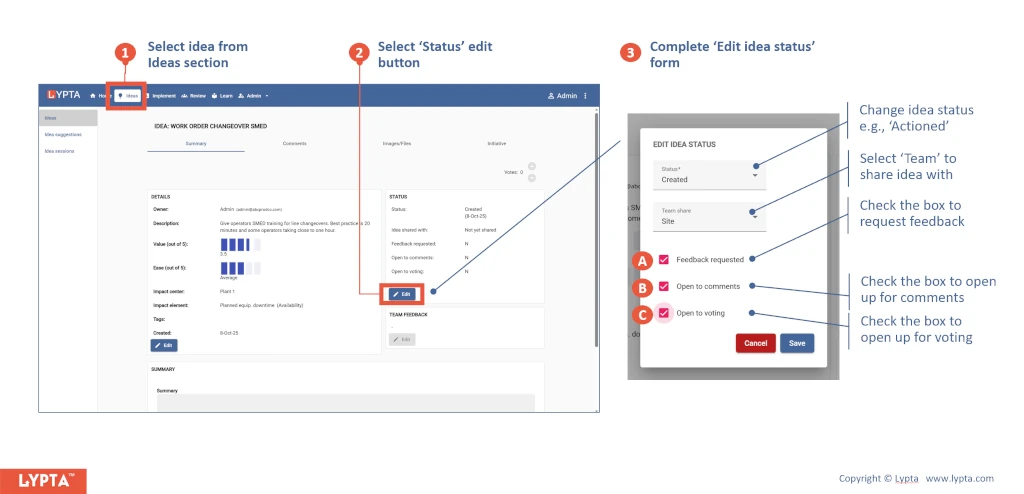
Getting feedback quickly and easily allows you to refine the idea based on input from other people in your organization. People can respond to existing comments or start new threads.
To add a comment:
- Select the idea ‘Comments’ tab and then select ‘Add comment’ button to start new comment thread or ‘Edit’ or ‘Reply’ buttons for existing comments thread
- Complete ‘Edit Comment’ form
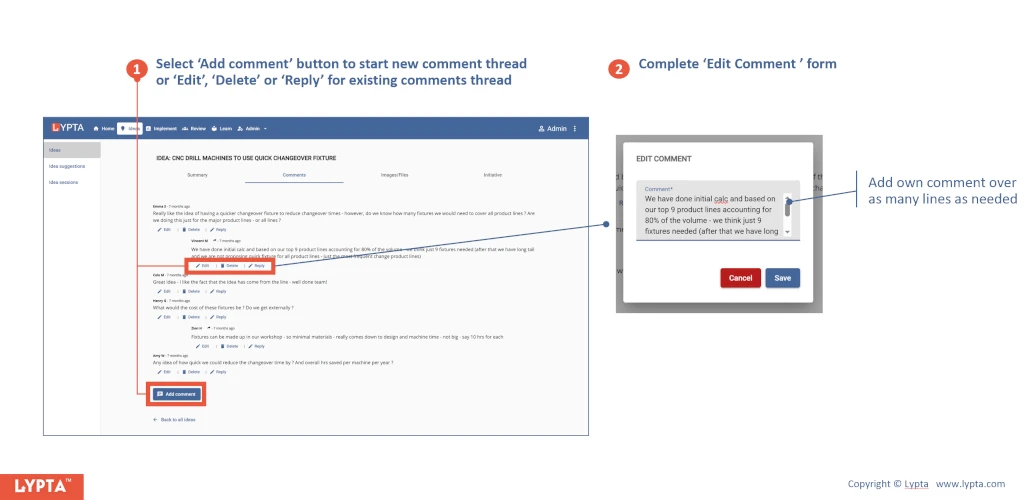
As an idea owner, you can also delete comments (by selecting the ‘delete’ button).
