
Ideas can be shared with any team and allowing team members from that team to actually see the idea and provide feedback in multiple ways:
Requested feedback:
- Request feedback from team leadership
- Allows team leaders to give input on the idea including whether to progress the idea into implementation
Comments:
- Open up to comments from everyone in the team
- Enables the team to respond to individual concerns/issues
Votes:
- Open up voting on the idea from everyone in the team
- Allows a quick poll on whether the team think the idea is worthwhile
An idea needs to be shared with a specific team before anyone from that team can see the idea. Steps to share an idea:
- Select idea to be shared from your ‘Ideas’ section
- Select ‘Status’ edit button
- Complete the ‘Edit idea status’ form.
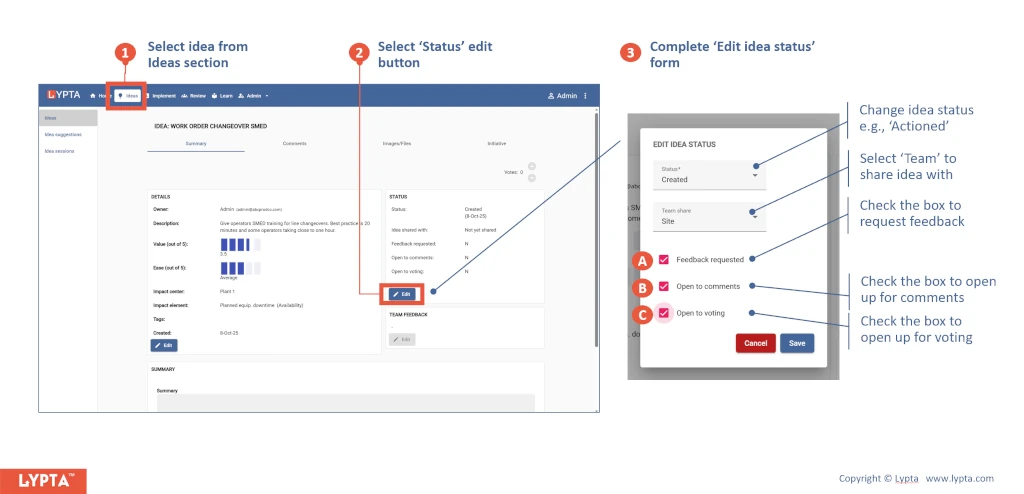
Once you have selected which team, the idea will be shared with, you can choose to:
A. Request feedback from team leads
B. Open the idea up to comments (seen in the comments tab)
C. Open the idea up to voting
