
If want to get feedback on your initiative you need to open up the initiative to comments. Note: this will only open up the comments to users who have access to the team that owns the initiative.
Getting feedback quickly and easily allows you to refine the initiative based on input from other people in your organization.
People can respond to existing comments or start new threads.
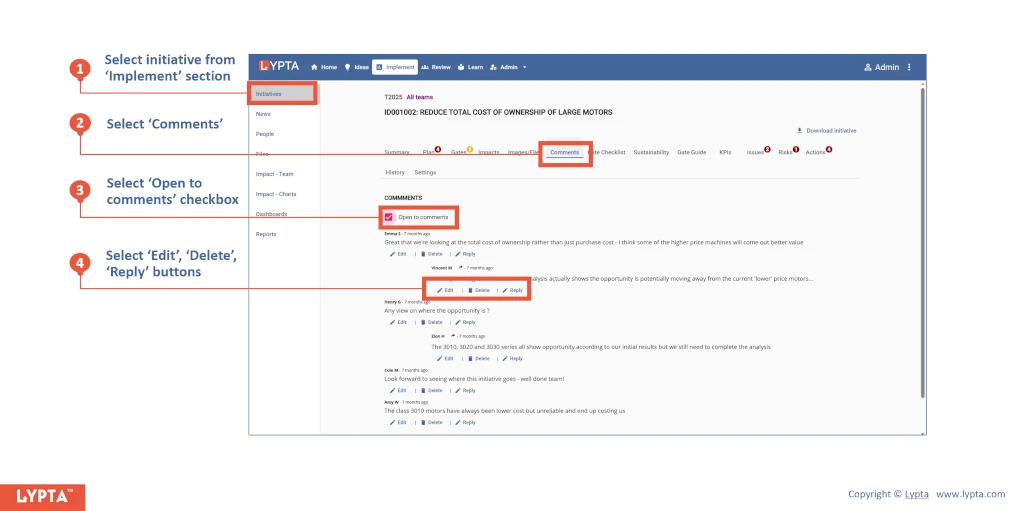
Steps to add comments:
- Select initiative from ‘Implement’ section
- Select ‘Comments’ tab for the selected initiative
- Select ‘Open to comments’ checkbox (users are unable to comment until this checkbox has been checked)
- Select ‘Edit’, ‘Delete’, ‘Reply’ buttons to comments as needed
As an initiative owner, you can also delete comments.
