
Team leads (requires ‘Lead’ authority level) can set-up improvement progress reviews for their teams at any time.
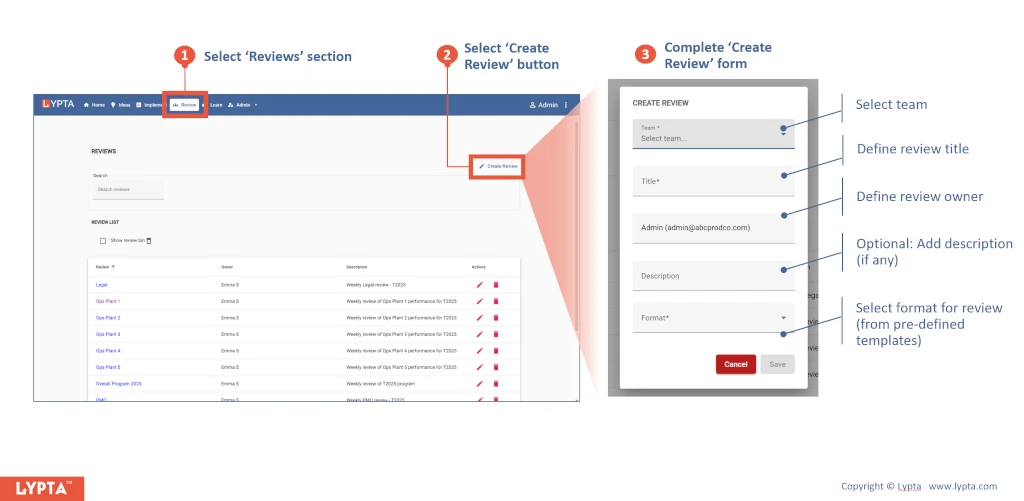
Steps to create an improvement progress review:
- Select ‘Reviews’ section
- Select ‘Create Review’ button
- Complete ‘Create Review’ form
-
Team: Selected team to be reviewed. This can be a work org, if continuous improvement, or a program/workstream, if a transformation
-
Title: One line title (shown in the review list)
-
Description: Short description of the review
-
Format: Selection of the review format from the drop down list. Formats are defined by Super Admin and define what pages are shown to users and also the content/format of review updates
