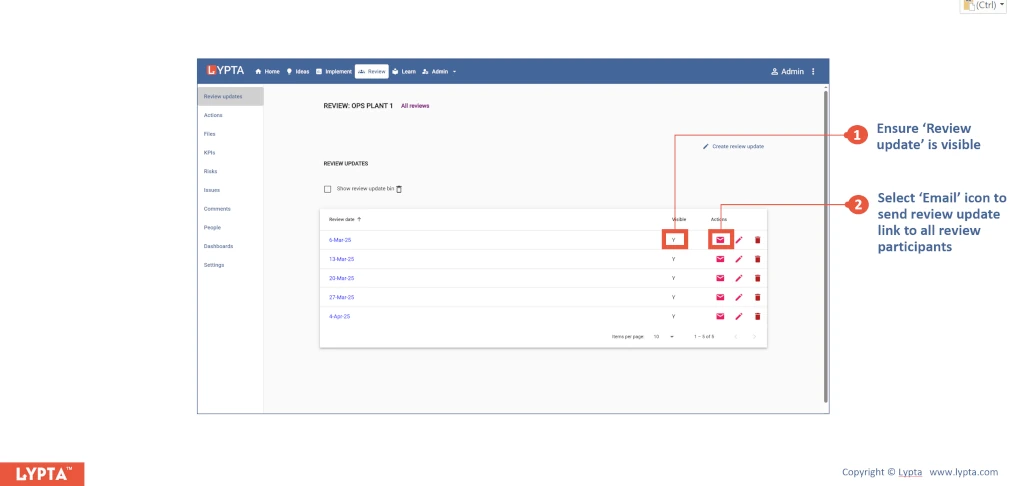
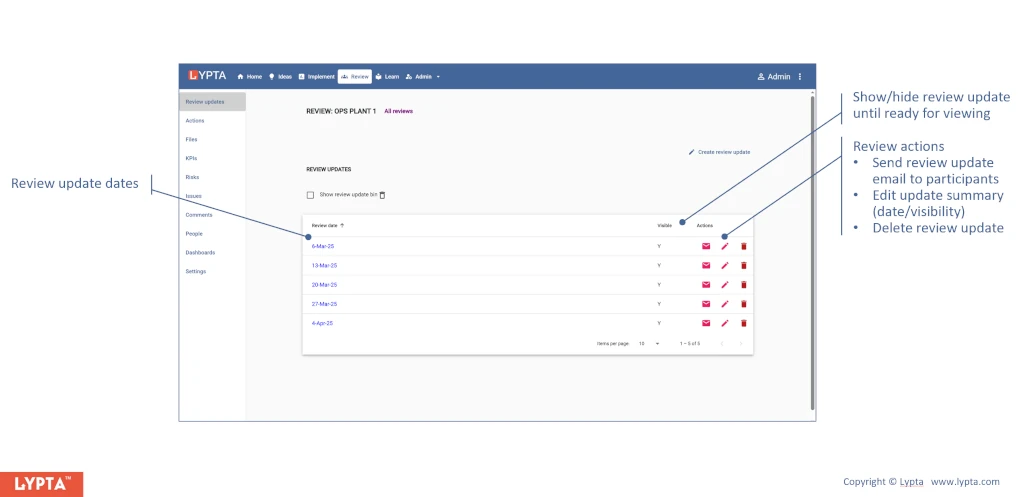
Progress review updates are created for each progress review by the review owner. A ‘review update’ belongs to a review and is the review that happened on a specific date and includes the content that was reviewed on that date.
Each update includes a summary page to define current progress e.g., highlights, lowlights, issues, priorities and escalations. Additional pages may also be defined by your organization’s Super Admin and is tailored to your organization’s specific requirements.
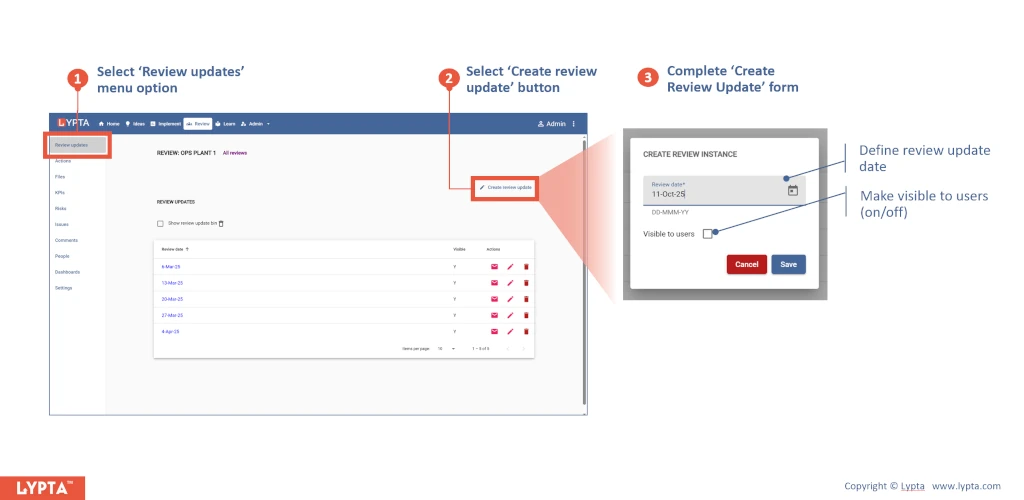
To create a review update, the review owner:
- Selects ‘Review updates’ menu option
- Selects ‘Create review update’ button
- Completes ‘Create Review Update’ form
Once the progress update has been created, you can edit the contents by selecting the ‘Edit’ button.
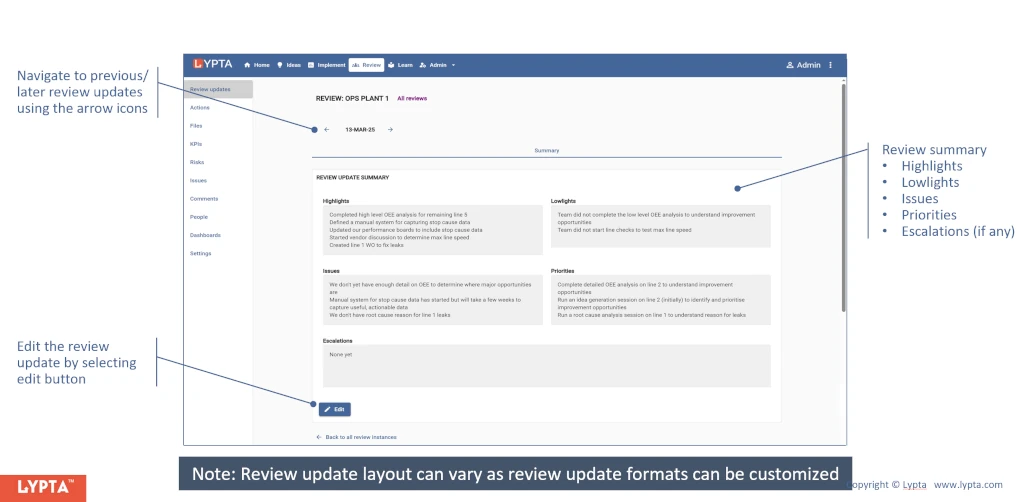
Note: the format of the review update may change depending on which format was selected when the initial review was created.
Review owners can choose to show/hide review updates until ready to show participants.
Additionally, once a review update has been completed, review owners can email all participants that the update is available (as pre-read to the actual progress update meeting).
- Ensure the selected review update is visible to users (by viewing the list of all review updates)
- Select ‘Email’ icon to send review update link to all participants