
The review owner has complete control over who participates in the review.
To add a review participant:
- Select the ‘People’ menu option for the selected review
- Select ‘Create Reviewer’ button
- Complete ‘Create Reviewer’ form
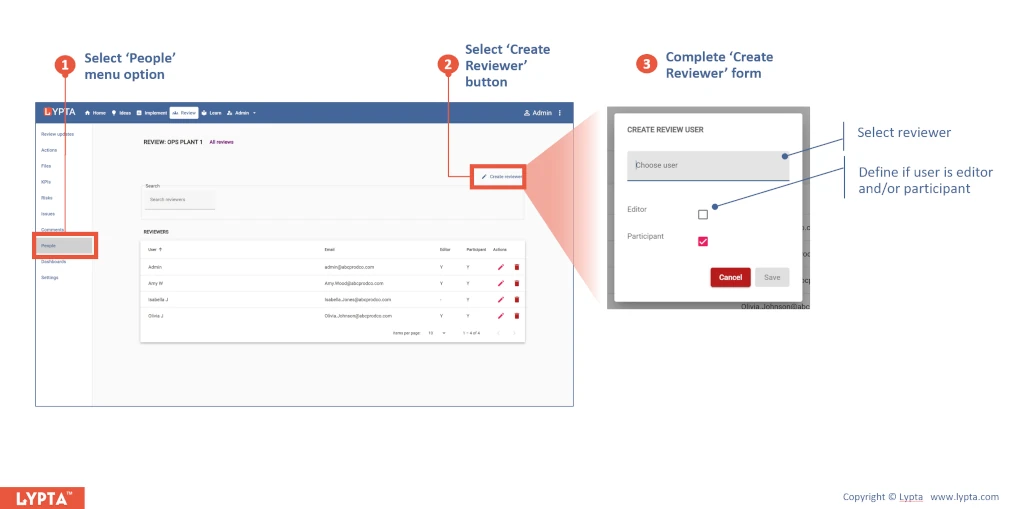
The review owner can define if the selected reviewer is simply a participant and/or if the reviewer is also an editor – in which case they will be given full edit rights of the review (including being able to edit and delete updates).
