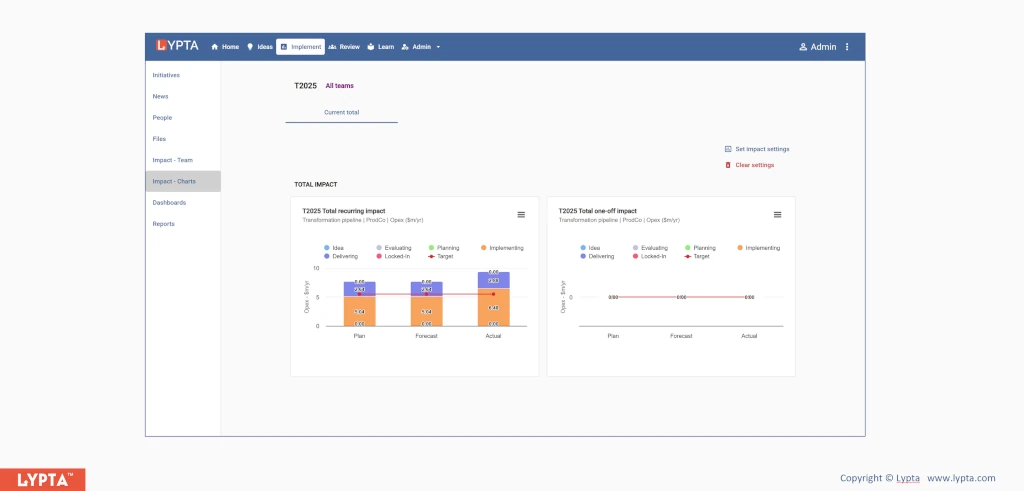
Bottom-up targets are used in the later implementation phases of the improvement program, when each initiative has been evaluated and a detailed understanding and analysis has been made of the each initiative’s impact and contribution to the target.
A bottom-up target is based on the collective planned impacts of the team’s initiatives. Unlike top-down targets, there is an expectation set for each initiative based on each initiative’s plan.
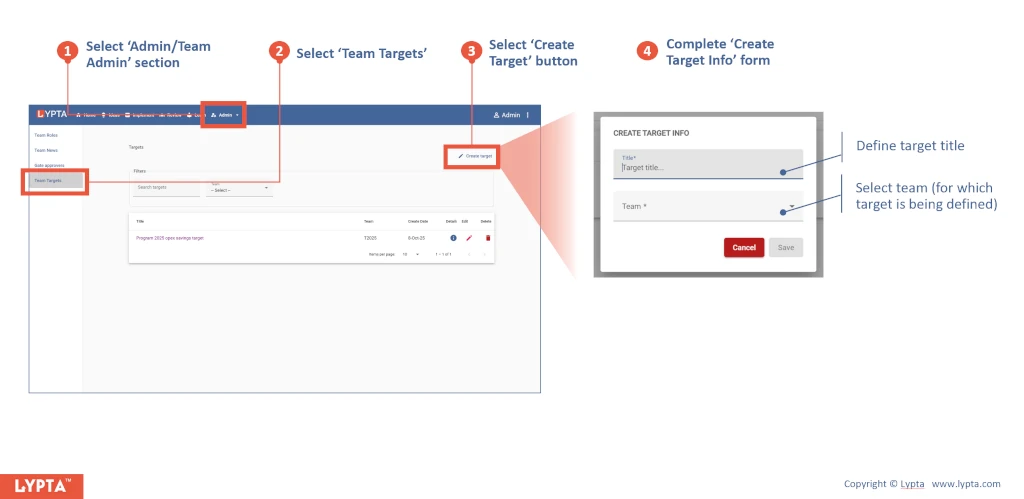
To set a bottom-up target, team leads (requires ‘Lead’ authority level) first create a target:
- Select ‘Admin/Team Admin’ section from the ‘Admin’ dropdown list
- Select ‘Team Targets’ from the menu option
- Select ‘Create Target’ button
- Complete ‘Create Target Info’ form
Once the target has been created, you can then select the target and see the target components:
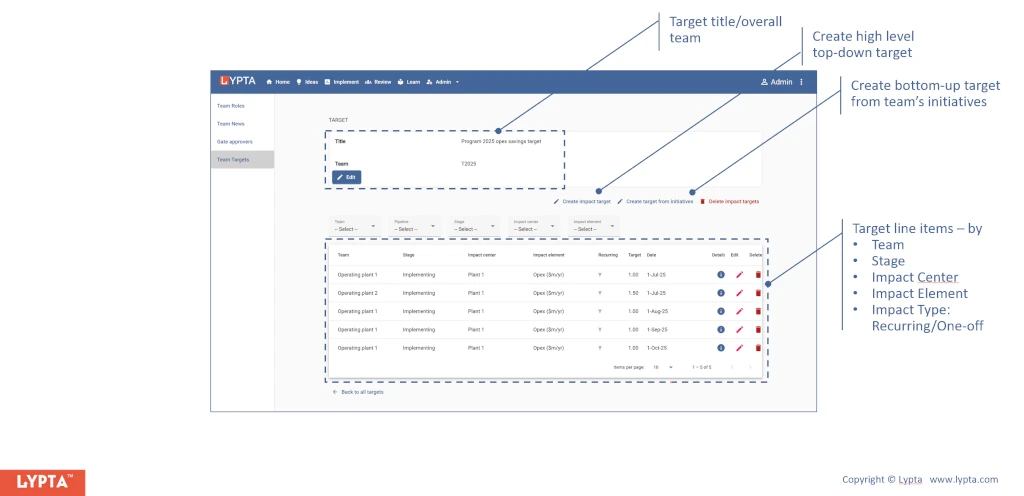
In the selected target page, you will options to:
- Create high level top-down target
- Create bottom-up target from the team’s initiatives
To create a bottom-up target:
- Select ‘Admin/Team Admin’ section from the ‘Admin’ dropdown list in the top navigation bar
- Select ‘Team Targets’
- Select ‘Create Target from initiatives’ button
- Complete ‘Create Target from initiatives’ form
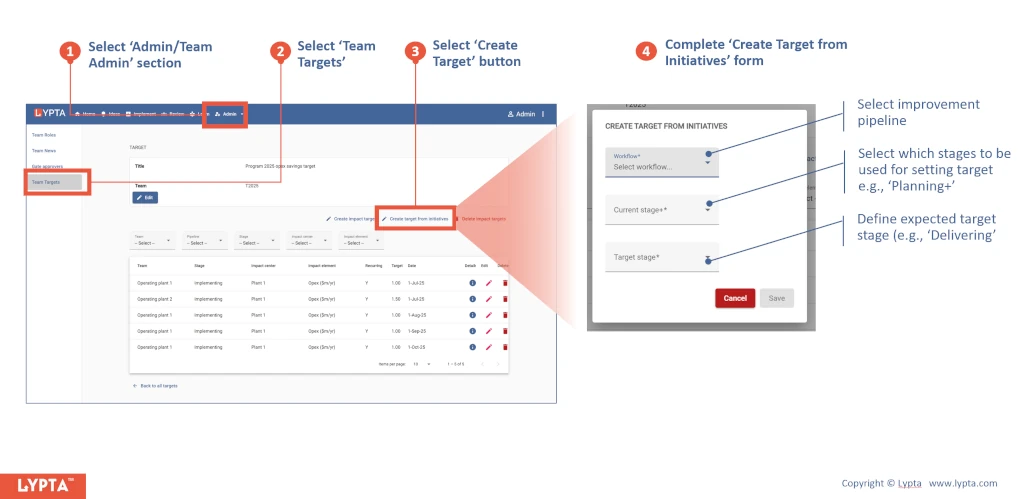
Bottom-up targets are defined based on:
- Improvement pipeline: Pipeline used by the target stage
- Current stage+: Stage for which all initiatives are included. For example if ‘Current stage+’ is set for ‘Implementation’ stage then only these initiatives that are at the implementation or better (e.g., delivering or locked in) are included. This allows the team to exclude initiatives that are still in early life cycle stages (e.g., ‘Idea’ or ‘Evaluating’) and for which the team have low confidence in final impact
- Target stage+: Bottom-up target values are consolidated to a single value for all initiatives for a selected date so that a target line can be shown across a range of dates. All those initiatives that have reached the target stage or better are included in the target value. For example, if the ‘Target stage+’ is set for ‘Delivering’ stage then only initiatives that are delivering or better (e.g., ‘Locked-in’) are included in the target
Target values and dates are then defined bottom-up based on the consolidated impact values and dates defined in all the initiatives in the selected team.
Once the target has been defined, you can use the target in all impact charts to instantly show progress against target: