Images and Files
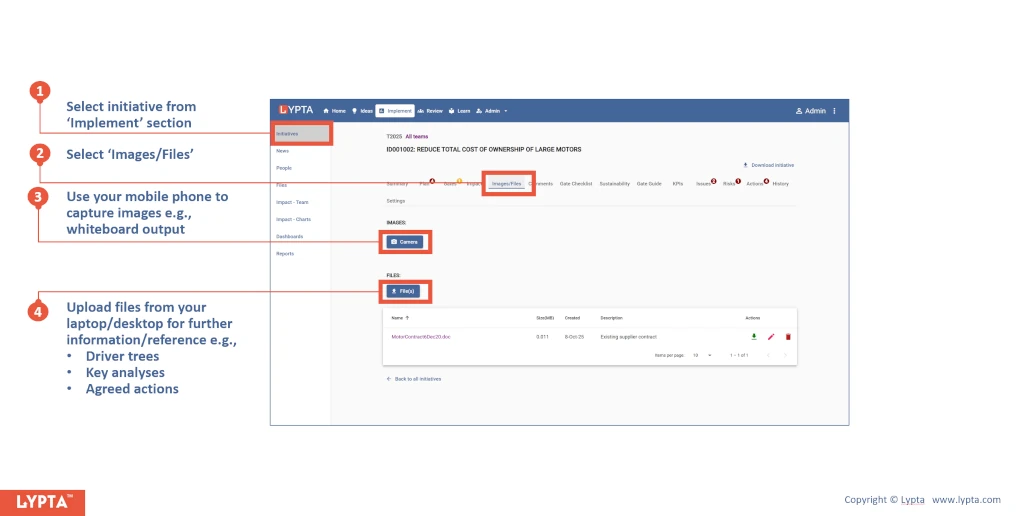
Images and documents can be uploaded to the initiative at any time including analysis and reference files. A description of each file can be added once the file has been uploaded.
Capturing images uses your phone or laptop’s camera and then uploads this image to the server. Images might include the workplace or equipment issue – seeing an image of the issue that the initiative is looking to solve can give stakeholders an instant grasp of the issues or opportunity.
To add images and files to an initiative:
- Select initiative from ‘Implement’ section
- Select ‘Images/Files’ tab for the selected initiative
- Use your mobile phone to capture images e.g., whiteboard output
- Upload files from your laptop/desktop for further information or reference