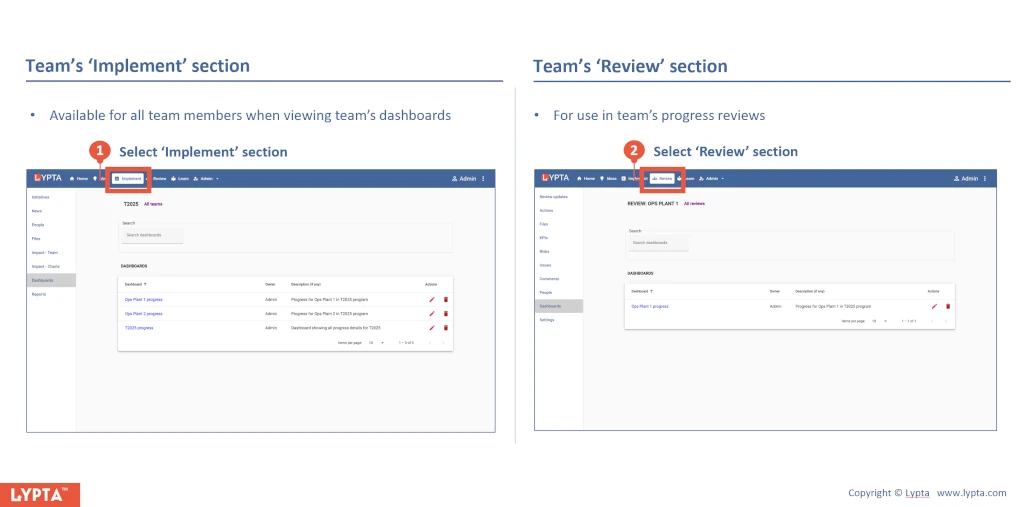
Exporting the dashboard for use by all the team ensures that everyone has a common ‘single source of truth’ of the current progress. Dashboards can be exported by team leads (requires ‘Lead’ authority level) to a team’s ‘Implement’ section or a team’s Review section for use in progress reviews.
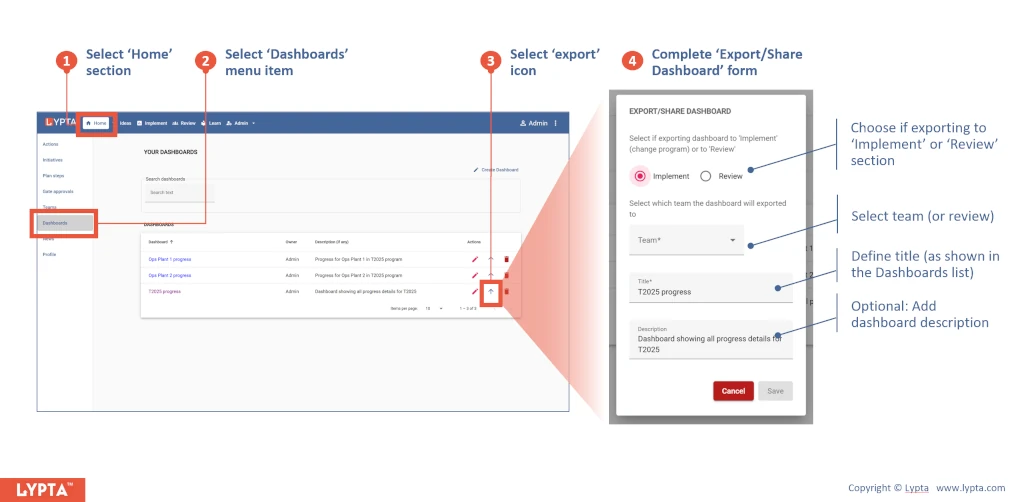
To export a dashboard from your ‘Home’ section:
- Select ‘Home’ section
- Select ‘Dashboards’ menu option
- Select ‘export’ icon
- Complete ‘Export/Share dashboard’ form
Once exported and shared, users can then view a dashboard at any time in either of these sections by:
- Selecting the ‘Dashboards’ menu option (in either the ‘Implement’ or ‘Review’ section) and then
- Selecting the dashboard from the list shown