1. Home
  2. Knowledge Base
  3. Initiatives
  4. Initiative Impacts
  5. Creating and updating initiative impacts
  1. Home
  2. Knowledge Base
  3. Initiatives
  4. Manage Initiatives
  5. Creating and updating initiative impacts

Creating and updating initiative impacts

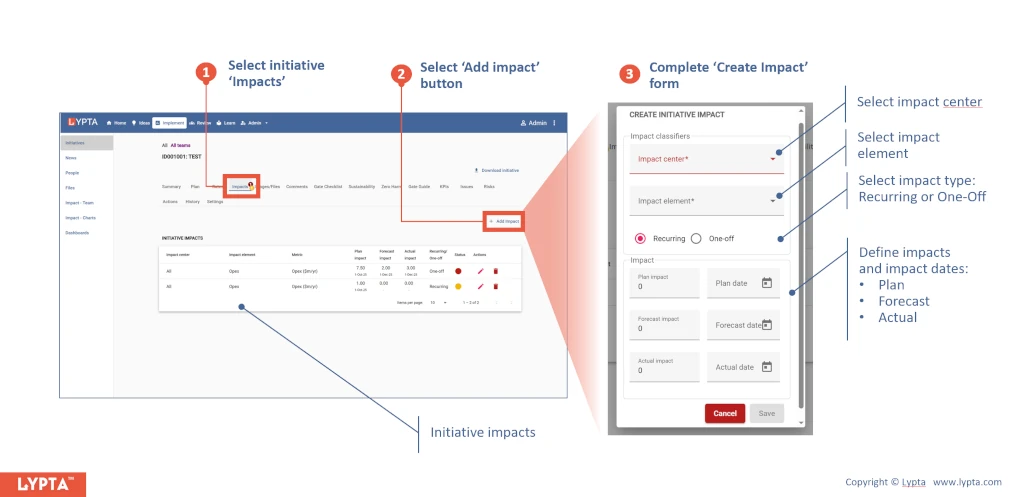
Steps to create initiative impact:

  1. Select initiative ‘Impacts’ tab for the initiative
  2. Select ‘Add impact’ button
  3. Complete ‘Create impact’ form
Create initiative impact steps

Once created, you can select the edit or delete icons for each impact if you want to edit or delete the impact.



Was this article helpful?

Related Articles

This website is using cookies

We use them to give you the best experience. If you continue using our website, we’ll assume that you are happy to receive all cookies on this website.