The initiative health status is highlighted in multiple locations whenever the initiative is listed (initiative status dashboard, status reports etc). This allows team leads to instantly see if an initiative is behind plan and needs help.
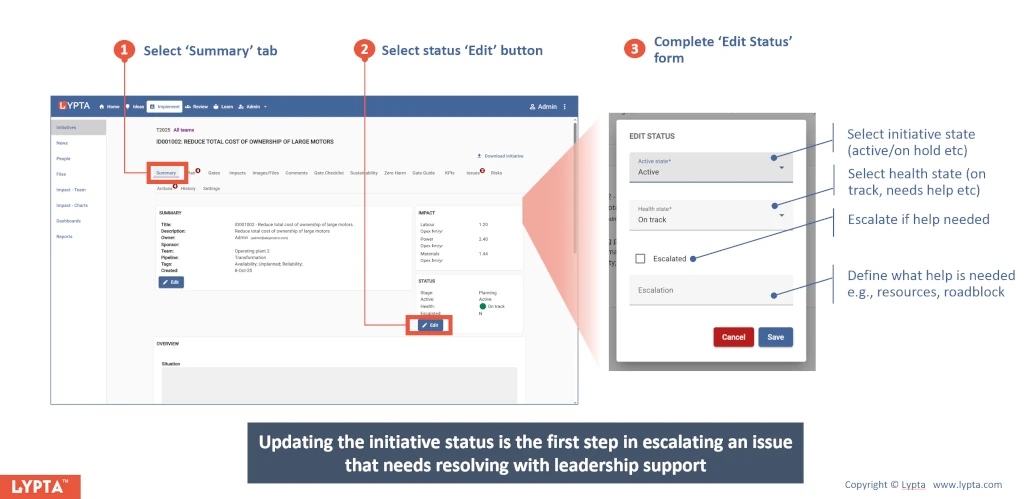
Updating the initiative’s health status is the first step in escalating that the initiative needs leadership help/support to resolve an issue.
To update the initiative health:
- Select the initiative’s ‘Summary’ tab
- Select the Status ‘Edit’ button
- Complete ‘Edit Status’ form