
On-going initiative issues can be opened/closed at any point during the initiative lifetime.
Initiative owners should consider escalating issues to change org leads/sponsors if they are unable to resolves issues themselves (e.g., additional resources needed or a roadblock).
To create an initiative issue:
- Select the initiative’s ‘Issues’ tab
- Select the ‘Create issue’ button
- Complete ‘Create Issue’ form
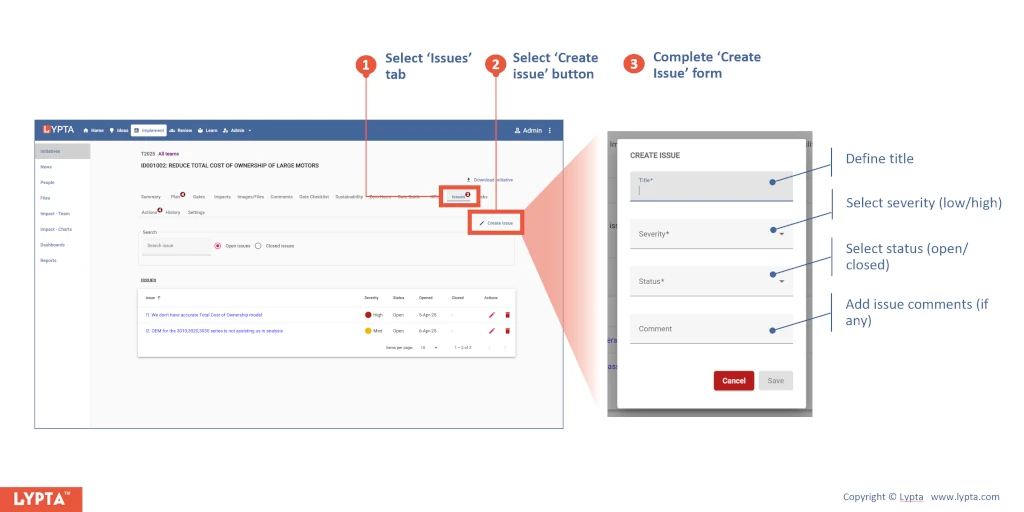
Creating an issue requires:
-
Title: Short one line description of the issue
-
Severity: High/Medium/Low
-
Status: Open/closed
-
Comment: Further comments if any needed
Once created, you can edit or delete an issue by selecting the ‘edit’ or ‘delete’ icons under issue ‘Actions’ on the right hand side of each issue.
