
SuperAdmin can define the branding of the Lypta app (overall colors and logo).
To set the branding colors and logo:
- Select ‘Admin/General’ section from the ‘Admin’ dropdown list in the top navigation bar
- Select ‘Branding’ menu option
- Select ‘Edit’ button for brand colors
- Select ‘File(s)’ button to upload logo
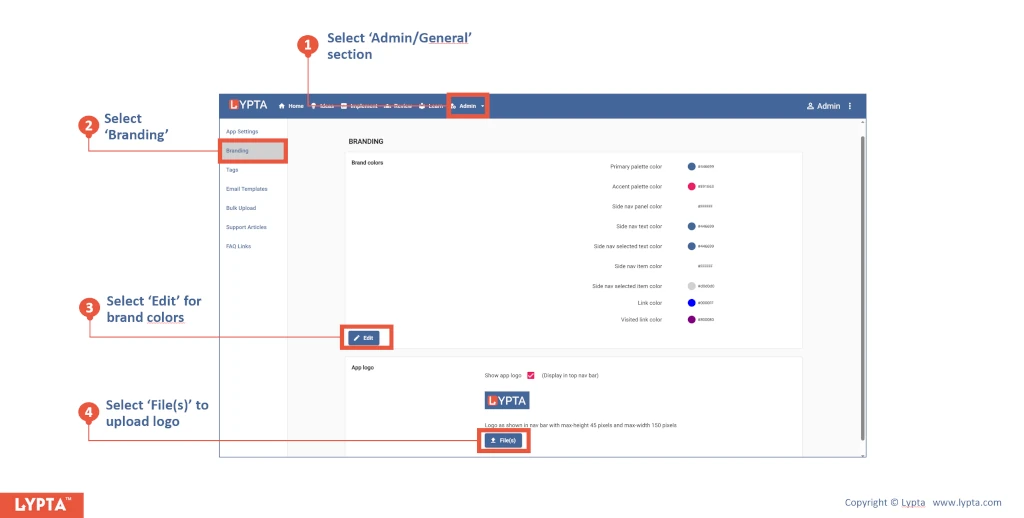
Colors and logo changes are applied immediately to your screen so that you can see the changes whilst editing.
However, other users will only see the changes made once they have logged out and logged back in.
