
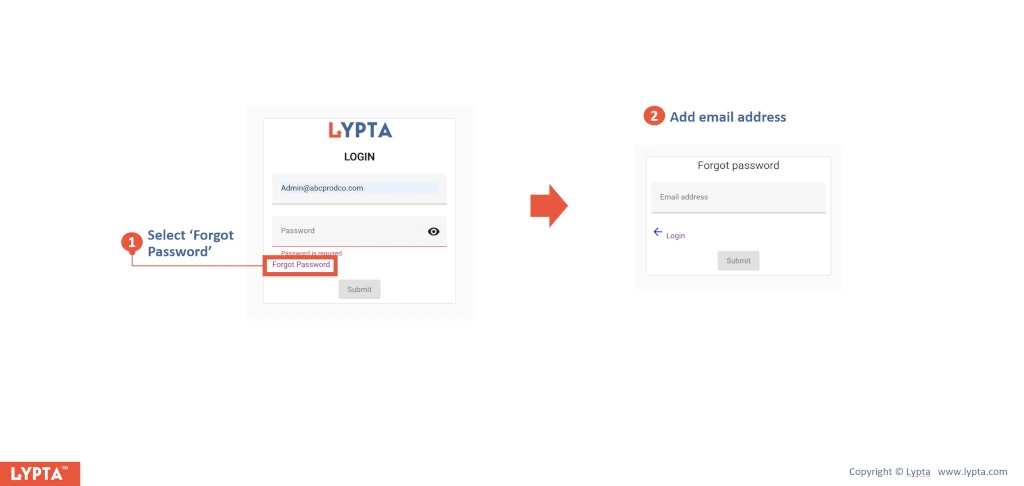
Users can reset their password by:
- Selecting the ‘Forgot Password’ link at the bottom of the login screen
- Adding their email address to the ‘Forgot password’ form and selecting the ‘Submit’ button
The user will then be sent an email inviting them to reset their password.
