
You can easily upload files to your idea and add a description of the file for future reference by:
- Selecting the idea’s ‘Images/Files’ tab
- Selecting the ‘Camera’ for taking an image and uploading or selecting the ‘File(s)’ button for uploading files
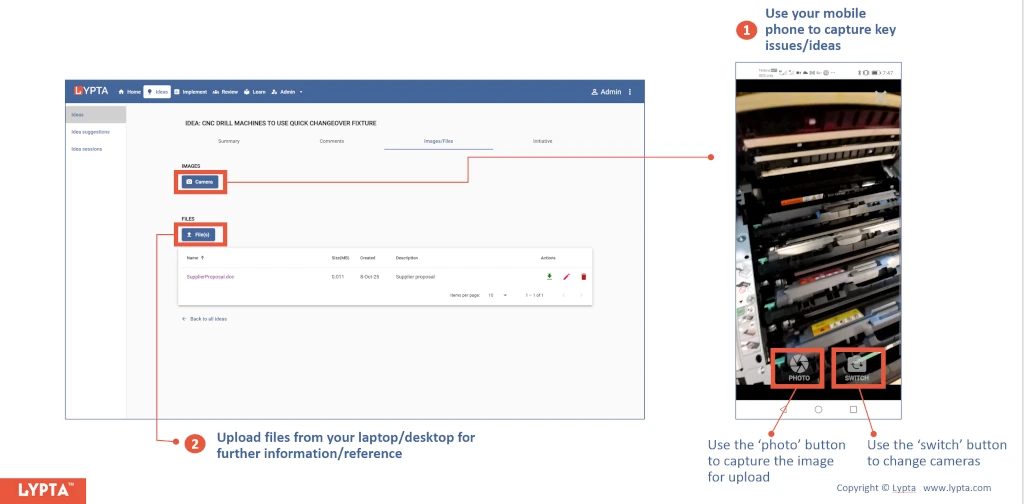
The Lypta app enables you to capture/upload images using your phone or tablet/laptop’s camera.
