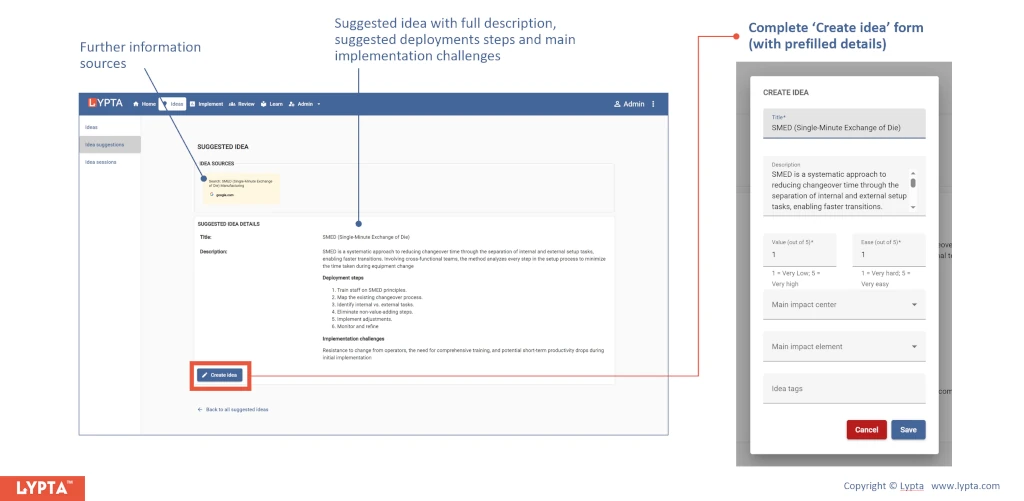
External expert sources are available in the app to generate ‘suggested ideas’.
These external expert ideas can be used to feed the overall improvement pipeline.
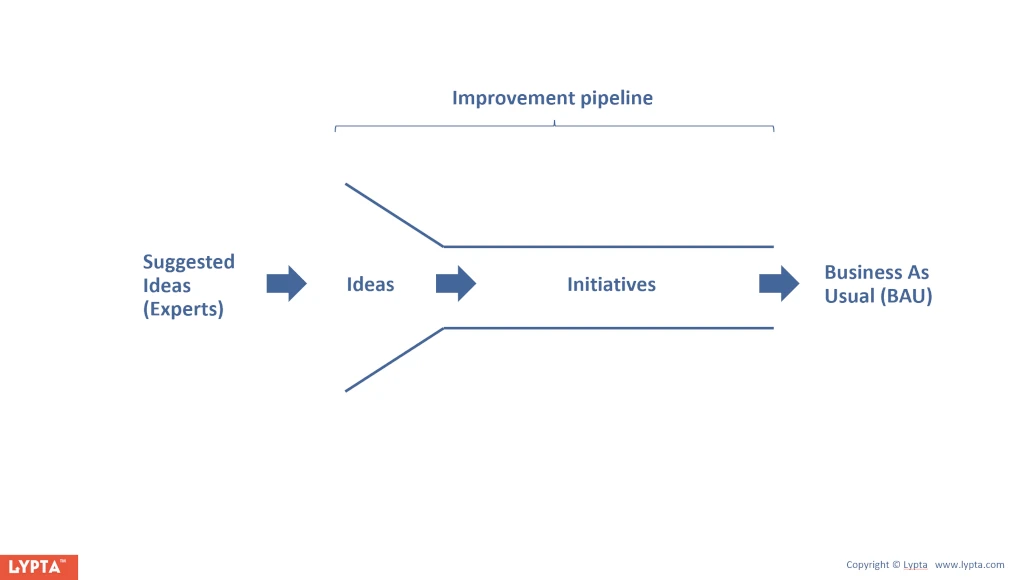
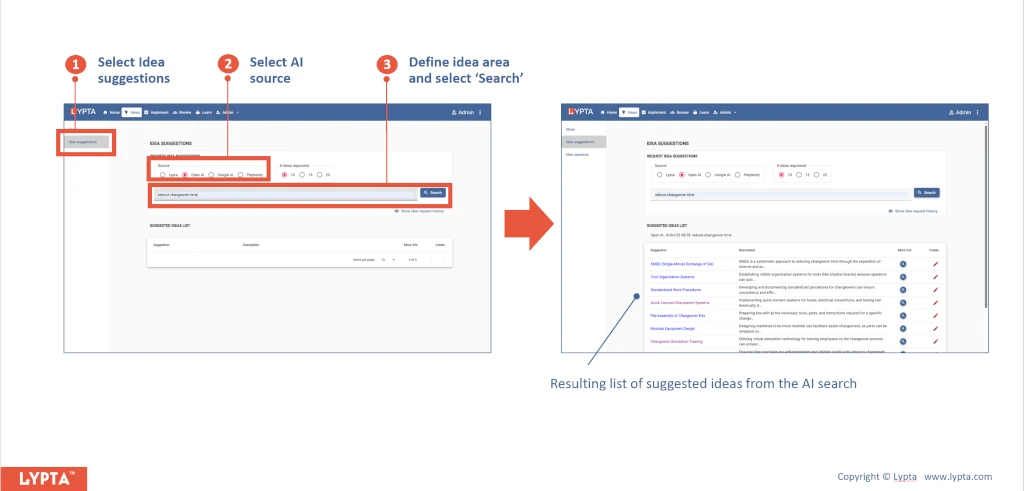
Find suggested ideas by:
- Select ‘Ideas’ section and then ‘Idea Suggestions’ menu option
- Select AI source e.g., Google AI
- Define idea area (e.g., ‘reduce changeover time’) and then select search
You will then see a list of suggested ideas from the AI search.
You can then select each suggested idea for more detail including a detailed description, further sources of information, implementation challenges and deployment steps.
You can also create an idea from the suggested idea by selecting the ‘Create idea’ button which will then add this suggested idea to your existing set of ideas.