
All ideas owned by the user will be seen in the ‘Ideas’ section. Additionally, ideas that have been ‘shared’ by other users will also be seen.
Users can search for ideas by:
- Type search terms in the ‘Search ideas’ box in the ‘Ideas’ section
- Optionally, users can also add additional search filters for more complex queries e.g., all ideas with value greater than or equal to 4
- Optionally, users can add sort criteria to the result e.g., sort by decreasing value
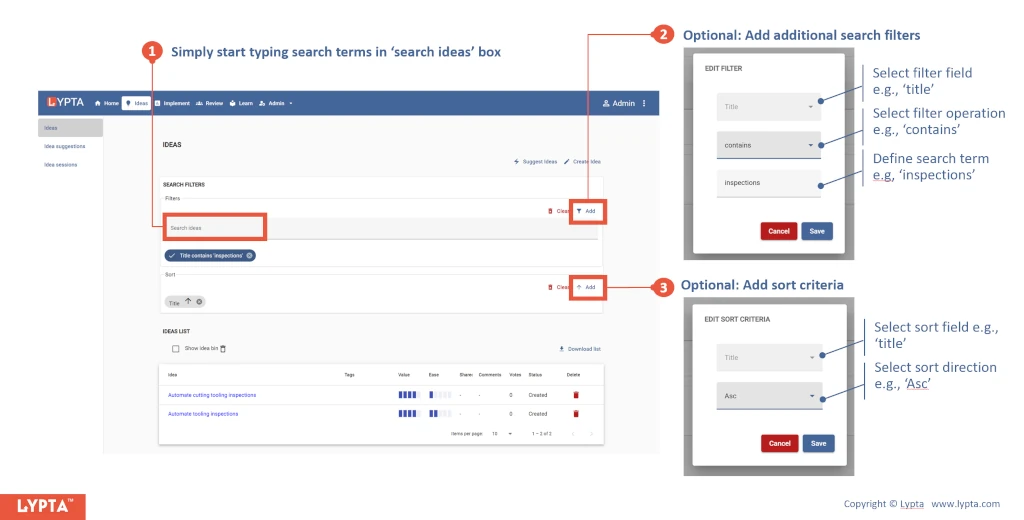
The resulting output can also be download/exported as an excel list by selecting the ‘Download list’ icon on the right hand side of the list.
