
1. Home
  2. Knowledge Base
  3. Ideas
  4. Ideas Quick Guide
  5. How to add images & files to an idea

How to add images & files to an idea

You can easily upload files to your idea and add a description of the file for future reference by:

  • Selecting the idea’s ‘Images/Files’ tab
  • Selecting the ‘Camera’ for taking an image and uploading or selecting the ‘File(s)’ button for uploading files
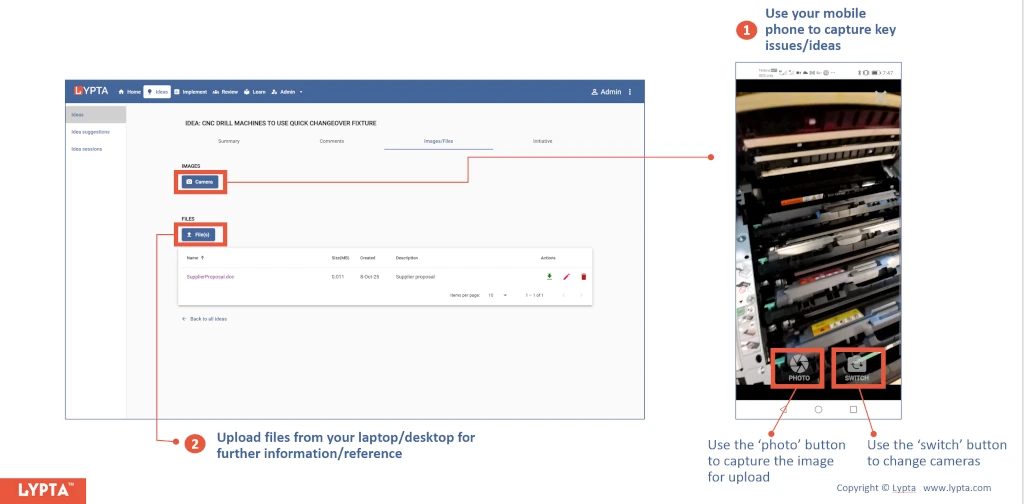
Add images and files – steps


The Lypta app enables you to capture/upload images using your phone or tablet/laptop’s camera.

Was this article helpful?

Related Articles

This website is using cookies

We use them to give you the best experience. If you continue using our website, we’ll assume that you are happy to receive all cookies on this website.